
Examples of work agentic AI can automate 2 of 7
Finding and resolving conflicting business information
This hypothetical example follows a change to an inquiry team's first response rule. Meeting notes describe a proposed rule, while the internal procedure and customer FAQ each give a different deadline. The work involves confirming what was formally agreed and bringing the relevant documents and notices into line.
Inquiry handling team meeting
1. Reviewing the first-response rule
As inquiry volumes grow, review the deadline for the first response. This response acknowledges receipt and sets expectations for the next contact; it is separate from the time needed to resolve the inquiry.
A proposal to send the first response the same day was discussed under the following conditions.
- Apply to new inquiries received from November 1.
- Reply the same day to inquiries received before 15:00 Japan Standard Time on a business day in the company calendar.
- Reply on the next business day to inquiries received at or after 15:00, or on a non-business day.
2. Points to confirm
Confirm with Sato how to handle existing contracts with their own first-response terms.
Record this as a proposed revision. Confirm the formal decision and scope before updating the procedure and related guidance.
Inquiry intake and first-response procedure
Purpose
Keep intake and first responses consistent so that inquiries are not missed between team members. This procedure applies to inquiries received by the support team.
Intake steps
- Record when the inquiry arrived, the customer name and the request.
- Assign a coordinator and check the relevant contract and previous correspondence.
- Acknowledge receipt and tell the customer what to expect next.
First-response deadline
Send the first response on the next business day after an inquiry is received.
Use the company calendar to determine business days. Continue the investigation after the first response and give the customer a next-contact date if an answer will take time.
Records
Add the response time and action taken to the intake record so the team can follow the status.
Confirm the decision and its scope before rewriting
Matching the wording does not establish which rule is correct. The coordinator needs to confirm the decision with its owner, clarify the effective date, scope and exceptions, then review both internal instructions and customer-facing guidance.
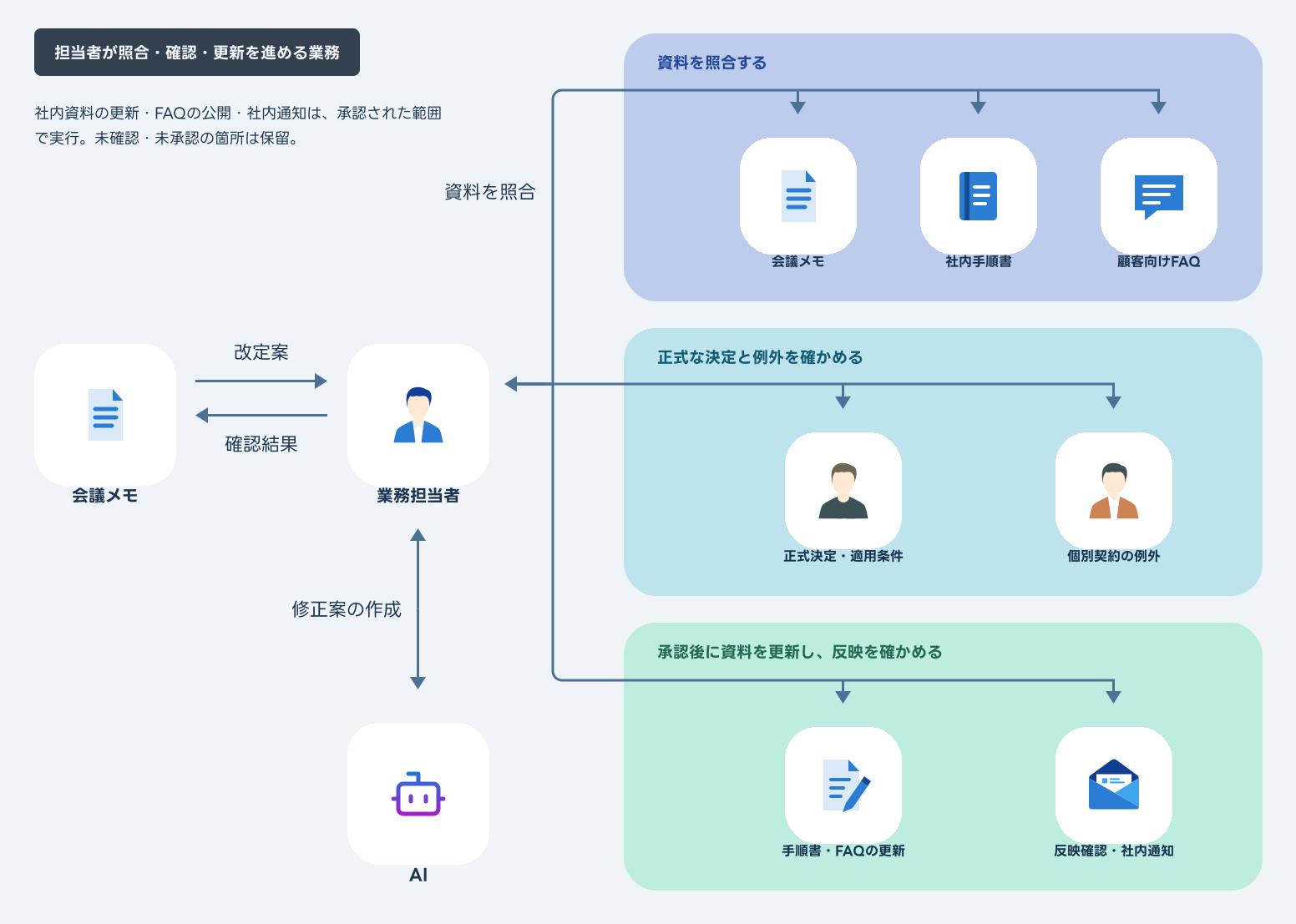
The coordinator opens the meeting notes, procedure and FAQ and compares the first response deadlines. A newer document is not automatically authoritative: the owner must confirm whether the proposal was adopted and which inquiries it covers from November 1.
After confirmation, the coordinator prepares the revisions and obtains approval to update the procedure, publish the FAQ and notify staff. The revised documents must then be read back to check that the effective date and exceptions are present and that the guidance is consistent.
Finding the documents, confirming decisions, tracking approvals and checking updates all recur whenever a rule changes.
When an AI agent handles comparison, updates and verification
In this example, the agent compares documents it is permitted to read and brings the conflicting passages and their sources into Teams. Work proceeds after the owner confirms the official rule and its scope and approves the updates, publication and staff notice.
 Microsoft Teams
Here, the agent compares documents, prepares questions and revisions, updates the approved locations, verifies the result and notifies staff. The owner decides which rule is official, when it takes effect and whom it covers.
Approval covers the specific text and locations for both the internal update and customer FAQ publication. Unconfirmed decisions and unapproved work remain pending. Missing permissions and failed updates are reported as incomplete.
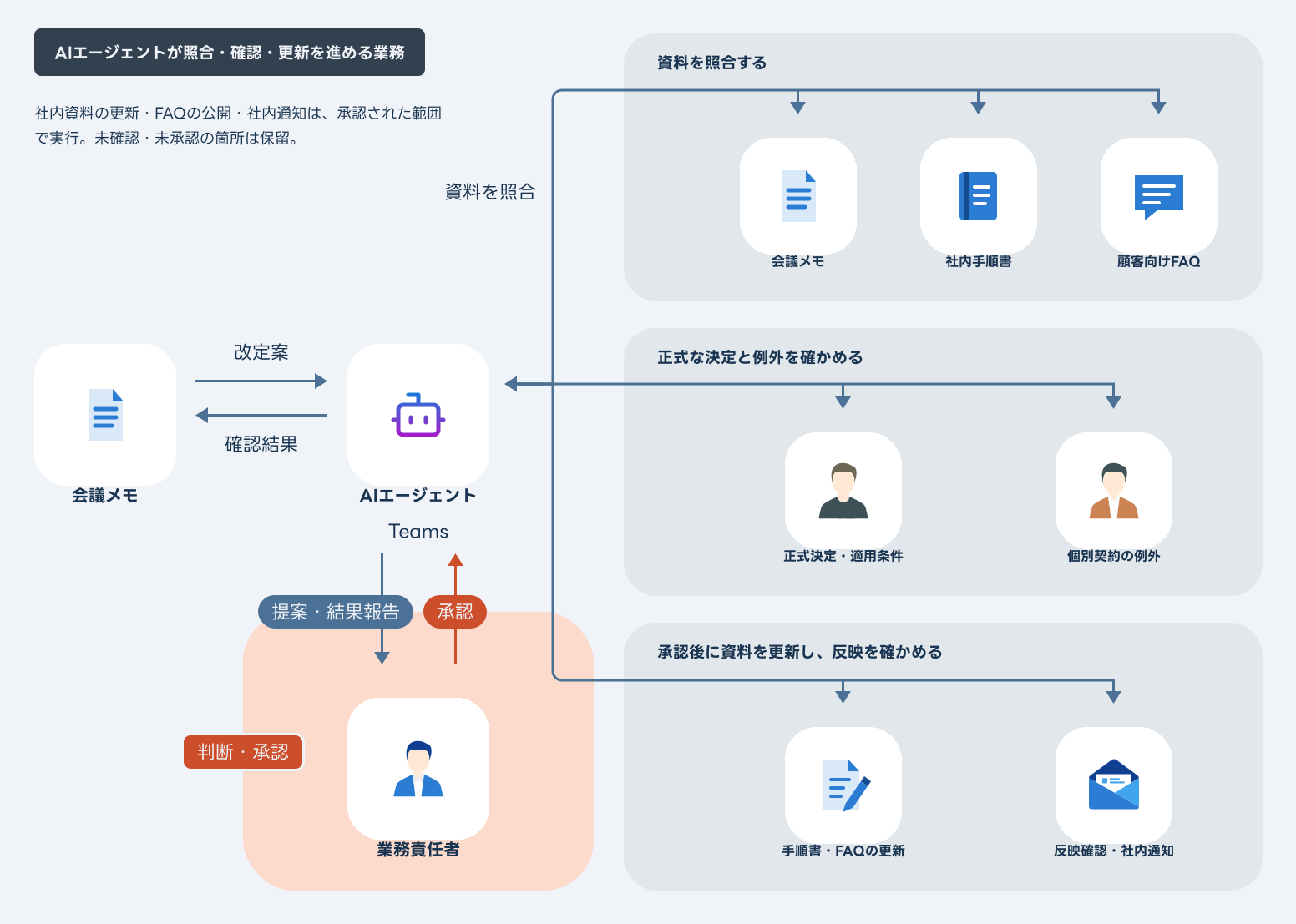
Report unknown terms, missing approvals or permissions, and failed updates to the owner as unresolved
Business events and how an AI agent responds
Document changes and staff questions can trigger a check for conflicting information. These six examples show responses at different stages of confirmation, approval and updating.

AI agent
Detects a trigger and starts the work


-
What starts the work
A proposed rule change
Meeting notes record a proposal to change the first response deadline.
What people receive
Conflicts and questions identified
The differences from the procedure and FAQ are listed with sources. The decision and scope await confirmation.
-
What starts the work
A staff member flags a conflict
The procedure and FAQ give different reply deadlines.
What people receive
Sources gathered for confirmation
I gathered the relevant passages and decision records. The owner is confirming the official rule.
-
What starts the work
An existing contract has specific terms
This customer has a different first response arrangement.
What people receive
Exception referred to the owner
I identified the difference from the general rule. The owner must confirm how the individual terms apply.
-
What starts the work
Only the procedure update is approved
The internal procedure revision is approved.
What people receive
Approved changes verified
I updated and checked the procedure. FAQ publication and the staff notice remain pending approval.
-
What starts the work
A document changes after approval
The check before writing finds another revision.
What people receive
Changes held for review
I paused the update and identified the impact on the approved draft. The revised content needs review before writing.
-
What starts the work
Missing access or a save error
An approved update could not be saved.
What people receive
Incomplete work reported
I reported which updates succeeded and which remain incomplete. The remaining work needs another check once the cause is resolved.
Confirm the official rule and keep the guidance consistent
Assigning comparison and verification work to an agent aims to reduce the time staff spend moving between documents.
The owner receives the conflicting sources and proposed revisions together, so they can focus on the rule, its exceptions and how it should be explained to customers.
Start with one workflow and its related documents. Review incorrect revisions, pending approvals and missing updates before deciding how much work to delegate.
Talk about your workflowExplore other use cases
View more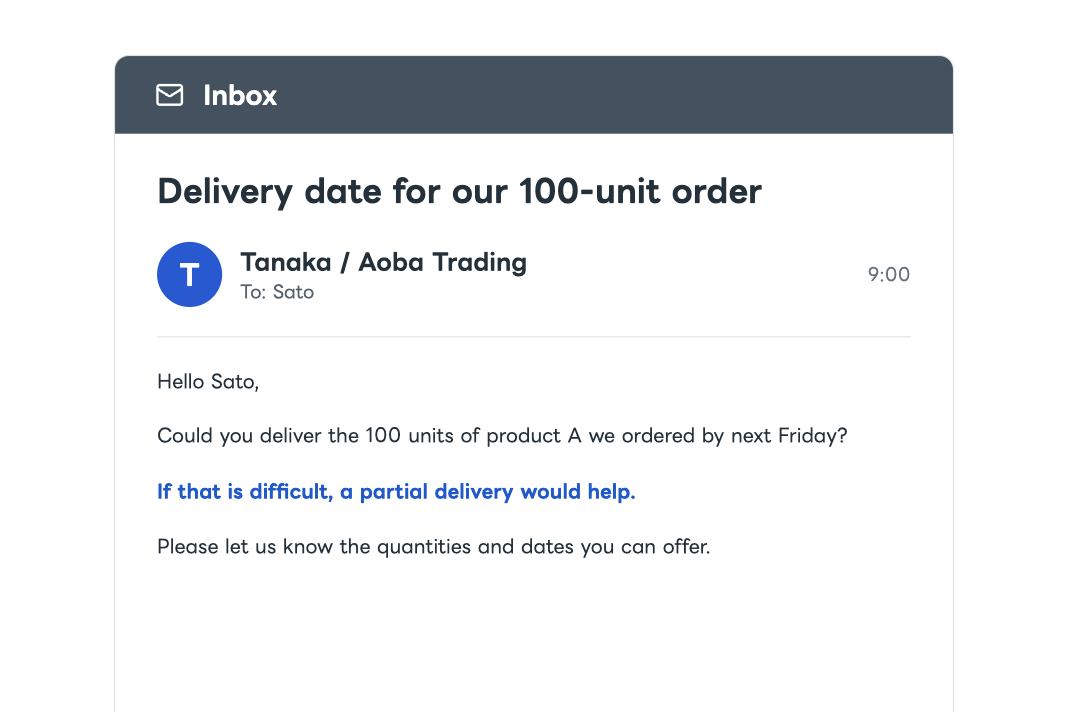
Order and stock checks
Coordination and arrangements for delivery dates and split shipments
When a customer asks to change a delivery date or split a shipment, AI checks orders, stock, and expected arrivals. It asks colleagues for missing information and prepares a reply and arrangements. After approval, it applies the changes, verifies them, and reports back.
System operations
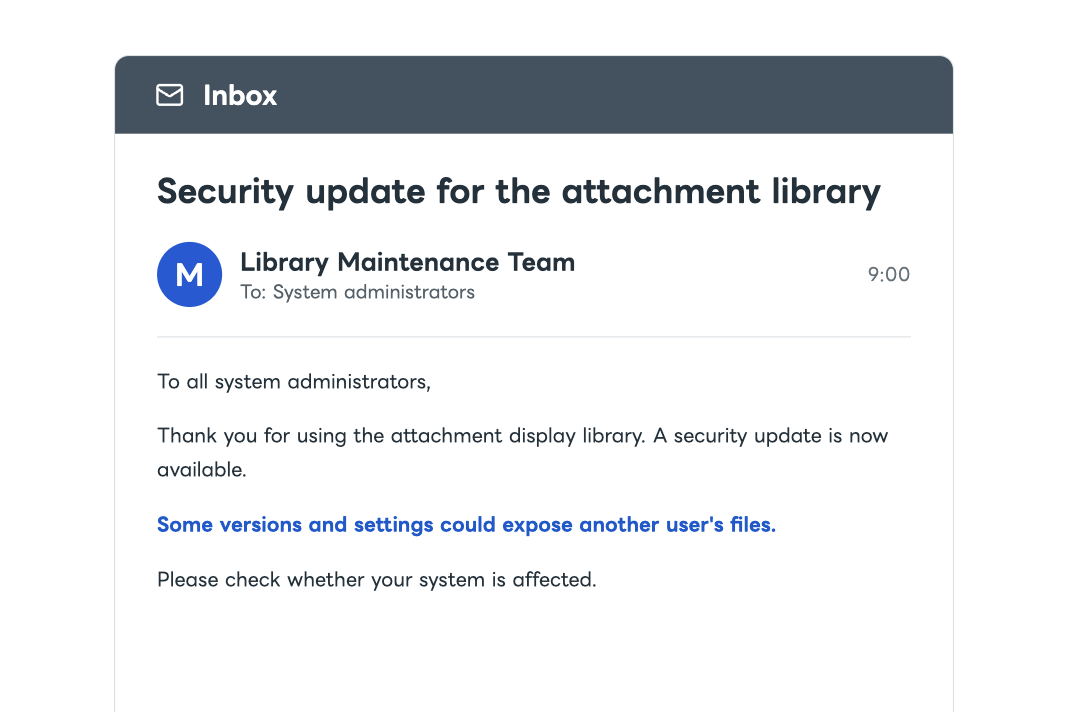
Investigation and response to security risks affecting your systems
AI compares external security information with your internal system configuration. It assesses whether action is needed and prepares an update and verification plan. It follows the approved plan, checks that systems operate correctly, updates configuration records, and reports the results.